How to Design a REST API That Doesn’t Become a Nightmare Later
A practical guide for backend developers, full-stack engineers, and software architects who want to build APIs that age well.
Introduction
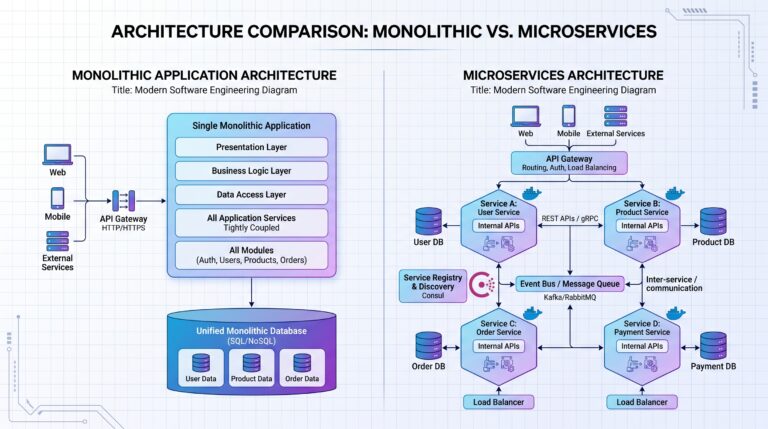
Imagine this: a small startup ships their MVP in six weeks. The backend is a Node.js REST API slapped together under pressure. Endpoints are inconsistent — some use /getUser, others use /users/profile. Fields are named userId in one response and user_id in another. There’s no versioning, no rate limiting, and errors return plain strings like "Something went wrong".
At launch, it works. The web app consumes it. A few hundred users sign up. Life is good.
Then six months pass. A mobile team joins and needs the same API. A third-party logistics partner wants to integrate. A microservice is spun up to handle notifications. Suddenly, every consumer is fighting a different battle with the same broken contract.
The mobile team discovers that changing a filter on /fetchCustomerData sometimes returns 200 with an empty body and sometimes returns 404 with HTML. The logistics partner can’t figure out why their integration silently fails. The notification service breaks every time someone changes a field name.
Sound familiar?
This scenario plays out constantly in engineering teams of every size. The pain isn’t the code itself — it’s the API design decisions made in the early days that compound over time into crushing technical debt.
A REST API is not just a way to move data. It is a contract between systems. When that contract is vague, inconsistent, or brittle, every team that consumes it pays the price indefinitely. Every breaking change triggers an emergency. Every missing error code costs hours of debugging. Every undocumented behavior becomes someone else’s production incident.
The good news: most of these problems are preventable. The principles are not secret — they’re just rarely applied consistently under the pressure of shipping fast.
This guide walks through the most critical API design decisions you’ll make, why they matter, what good and bad look like, and how to get them right from the start.
Section 1: What Makes a Good REST API?
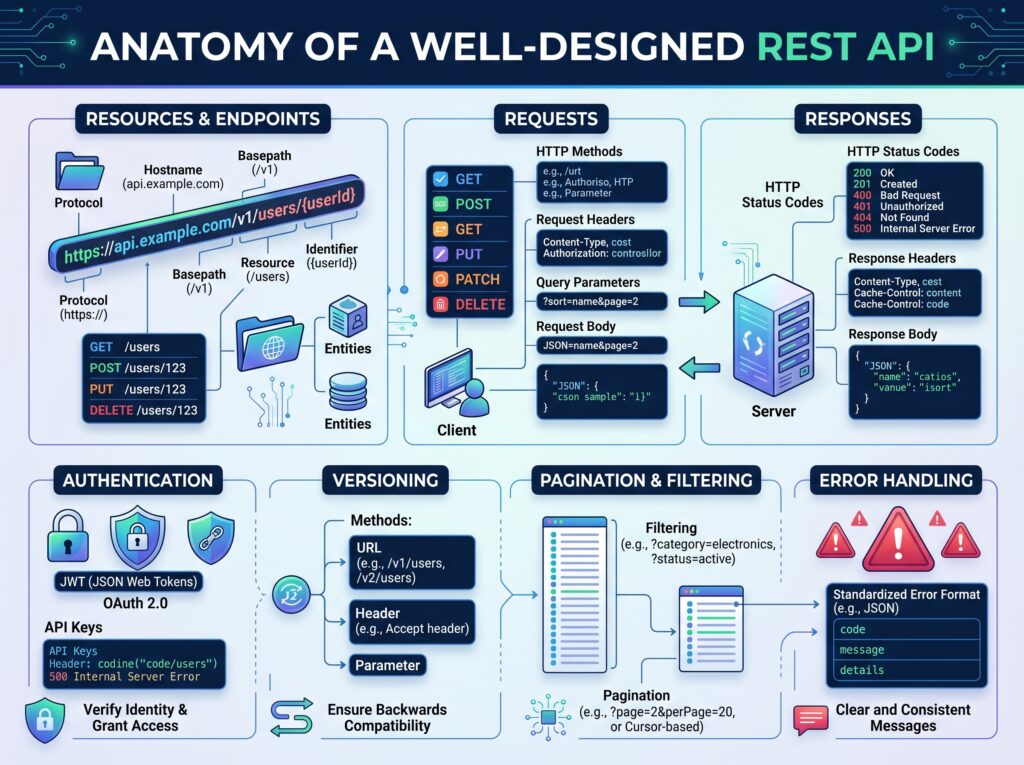
REST (Representational State Transfer) is an architectural style, not a protocol. It gives you a set of constraints to work within:
- Resources are the nouns of your system — users, orders, products, invoices.
- Stateless communication means each request contains all the information needed to process it. The server holds no session state between calls.
- Standard HTTP methods (GET, POST, PUT, PATCH, DELETE) carry semantic meaning — they tell the server what to do, not just what to get.
- Uniform interface means every endpoint behaves predictably according to the same rules.
Beyond the fundamentals, a good REST API shares a set of characteristics that make it a pleasure to work with:
| Characteristic | What It Means |
|---|---|
| Predictable | Developers can guess endpoint names without reading docs |
| Consistent | Naming, casing, and structure never surprise you |
| Discoverable | Resources link to related resources naturally |
| Secure | Authentication, authorization, and input validation are built-in |
| Easy to consume | SDKs, clear docs, sensible defaults |
| Easy to evolve | New features don’t break existing consumers |
Think about why developers love working with Stripe’s API. Every resource is a noun. Endpoints are predictable. Errors have machine-readable codes. Webhooks carry event types. You can build an entire payment integration from scratch using only the documentation without ever opening a support ticket. That’s not an accident — it’s the result of deliberate design decisions.
GitHub’s API is another model. /repos/{owner}/{repo}/issues tells you exactly what you’re getting. It paginates consistently. It includes rate limit headers on every response. It has been versioned thoughtfully for years without breaking millions of integrations.
Twilio puts clear, actionable error messages on every response. Their 20003 error code means “Authentication failure.” Their 21211 means “Invalid ‘To’ phone number.” You don’t guess. You look it up, fix it, move on.
These aren’t coincidences. They’re the result of teams treating their API as a product — one that has to be maintained, evolved, and consumed by people outside the team.
Image Prompt
Section 2: Resource Naming Conventions
If you only improve one thing about your API design, make it resource naming. Nothing damages developer experience faster than an API where every endpoint is a surprise.
Good Resource Naming Principles
Use nouns, not verbs. Your HTTP method already expresses the action. Your URL should express the thing being acted upon.
# GOOD
GET    /users
GET    /users/123
POST   /orders
DELETE /orders/456

# BAD
GET  /getUsers
POST /createOrder
GET  /fetchCustomerData
GET  /doSomething
The bad examples force developers to memorize a custom vocabulary. The good examples use the HTTP method as the verb and the resource name as the noun — which is exactly what REST intends.
Use plural resource names. This is an industry convention that makes endpoints consistent regardless of whether you’re returning one item or many.
GET /users        → returns a list of users
GET /users/123    → returns a single user
Both use /users. The presence of an ID signals you want a specific resource. Clean, predictable, consistent.
Keep URLs lowercase. /Users and /users are technically different URLs. Always lowercase to avoid ambiguity.
Use hyphens, not underscores. Underscores can get hidden under hyperlink underlines in browsers and docs. Hyphens are unambiguous.
# GOOD
GET /user-profiles/123

# BAD
GET /user_profiles/123
Nested Resources
When one resource belongs to another, hierarchy in the URL makes sense:
GET /users/123/orders          → orders belonging to user 123
GET /orders/456/items          → items in order 456
GET /organizations/7/members   → members of organization 7
This is intuitive and expresses real domain relationships. The rule of thumb: nesting is useful when the child resource doesn’t make sense without the parent.
However, deep nesting becomes its own nightmare:
# BAD — Too deeply nested
GET /companies/5/departments/2/teams/8/employees/99/tasks/12
This URL is:
- Difficult to construct in clients
- Fragile — changing any level breaks the URL
- Almost impossible to cache effectively
- Painful to document
When nesting goes beyond two levels, consider flattening. The task above could be:
GET /tasks/12
…with the hierarchical context returned in the response body if needed. Let the resource stand on its own when it has a unique identifier.
Consistency Rules
Pick a convention and apply it everywhere. Teams that use userId in some places and user_id in others have already broken the contract.
| Decision | Recommendation |
|---|---|
| Case style | snake_case for JSON fields, lowercase for URLs |
| Pluralization | Always plural for collection endpoints |
| Terminology | One term per concept (user, not user/customer/account interchangeably) |
| URL separators | Hyphens only |
Good vs Bad API Design — Example 1
| Poor API | Improved API |
|---|---|
GET /GetUserInfo |
GET /users/{id} |
POST /CreateNewOrder |
POST /orders |
DELETE /DeleteOrder |
DELETE /orders/{id} |
GET /fetchCustomerData |
GET /customers/{id} |
The improved design uses HTTP verbs to carry action semantics, nouns to identify resources, and predictable patterns that any developer can infer without documentation.

Section 3: API Versioning
All APIs evolve. Requirements change, data models shift, business logic gets revised. The danger isn’t change — it’s breaking existing consumers without warning.
Consider what happens when a field gets renamed from fullName to full_name in a response. Any client that reads response.fullName now gets undefined. Silently. With no error. No 400. No 500. Just missing data that causes downstream failures in mysterious ways.
Or when an endpoint is removed entirely because “nobody uses it” — except the one integration that does.
Breaking changes have real costs:
- Mobile apps can’t be hot-updated. Users on old versions break until they upgrade.
- Third-party integrations have their own release cycles. They can’t move at your speed.
- Microservices that consume your API need coordinated deployments, which may not be possible.
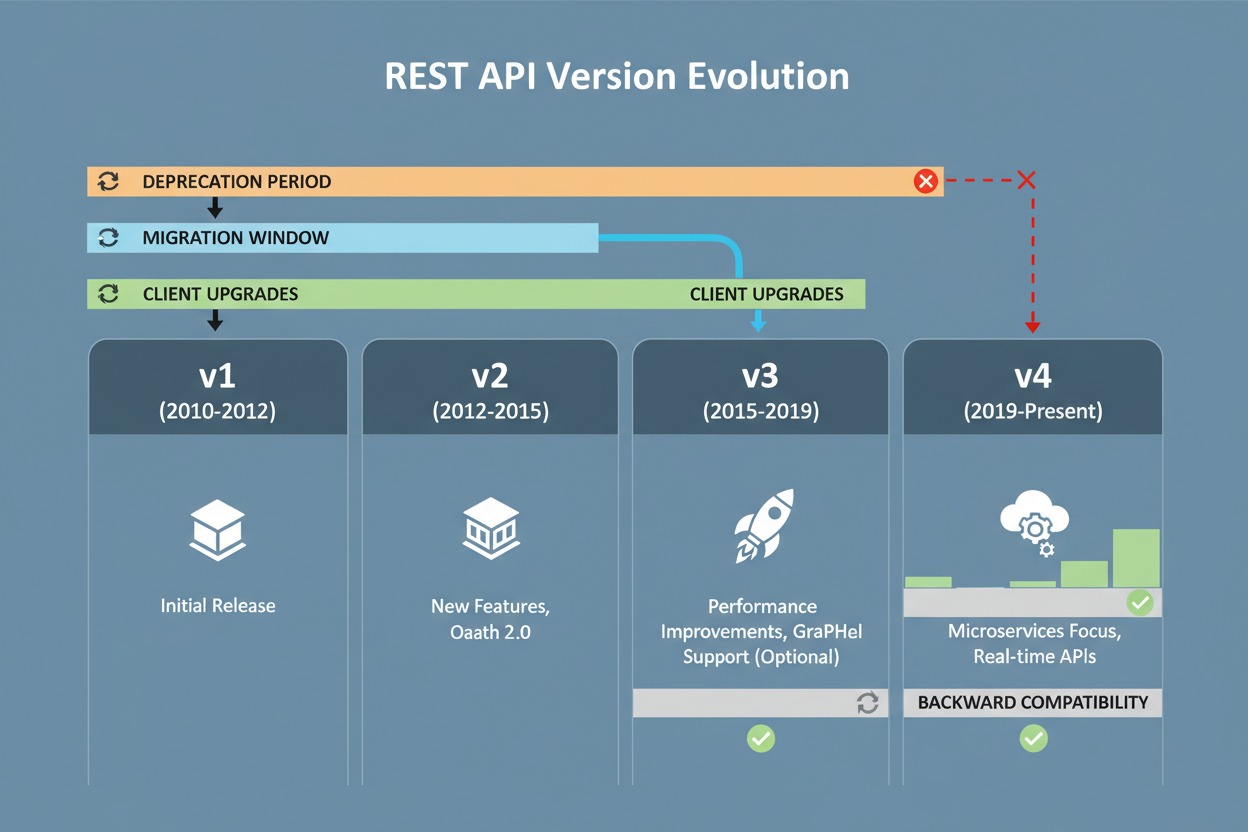
The solution is versioning — giving consumers a stable version to depend on while you evolve the API safely.
Common Versioning Strategies
URL Versioning
GET /api/v1/users
GET /api/v2/users
Pros: Immediately obvious in every request, log, and URL. Easy to route at the proxy layer. Simple for clients to adopt — just change the URL prefix.
Cons: Can lead to URL proliferation over time. Can feel like a breaking change in itself, even for minor updates.
Header Versioning
GET /users
Accept: application/vnd.company.v2+json
Pros: Keeps URLs clean. More aligned with the REST ideal of separating resource identity from representation.
Cons: Invisible in logs, browser URLs, and most API testing tools. Much harder to adopt for non-technical consumers. Tricky to test quickly.
Query Parameter Versioning
GET /users?version=2
Pros: Easy to add to any request. Works with browsers without extra headers.
Cons: Not RESTful (query params are for filtering, not identifying resource representations). Easy to forget. Hard to enforce at the infrastructure layer.
Recommended Approach
For most teams — especially those serving external developers, mobile apps, or third-party integrations — URL versioning is the most practical choice. It’s explicit, testable, and visible everywhere.
/api/v1/users    → stable, supported
/api/v2/users    → new version with breaking changes
When you release a new major version:
- Maintain the old version for a defined period (typically 6–12 months minimum).
- Publish a migration guide that maps old endpoints to new ones.
- Send deprecation warnings in response headers as the retirement date approaches:
Deprecation: trueSunset: Sat, 01 Jun 2026 00:00:00 GMTLink: <https://docs.example.com/migration/v2>; rel="deprecation" - Communicate proactively via email, changelog, and developer portal.
Good vs Bad API Design — Example 2
| Bad Approach | Good Approach |
|---|---|
| Release v2 and immediately remove v1 endpoints | Maintain v1 for 12 months alongside v2 |
| No migration documentation | Publish a field-by-field migration guide |
| Silent removal | Send deprecation headers weeks in advance |
| No timeline | Set and communicate a firm sunset date |
Client applications break when APIs change without warning. The good approach treats versioning as a commitment to your consumers, not just a technical detail.
Section 4: Pagination Done Right
Returning all records from a large dataset in a single API response is one of the most common — and most damaging — mistakes in API design. Imagine an e-commerce platform with 200,000 products. A GET /products that returns all of them will:
- Exhaust database memory
- Saturate network bandwidth
- Time out slow clients (especially mobile)
- Make the API unusable for any consumer that doesn’t have infinite memory
Pagination is not optional for production APIs. It’s a fundamental safety mechanism.
Offset Pagination
The most familiar approach. Clients pass a page number and a limit:
GET /products?page=2&limit=20
This returns records 21–40. Simple to understand, simple to implement.
Advantages: Easy for clients to jump to arbitrary pages. Natural for UI paginations with numbered pages.
Disadvantages: Performance degrades on large offsets. SELECT * FROM products LIMIT 20 OFFSET 10000 scans 10,020 rows to return 20. On a million-row table, this becomes a serious problem.
Also: if records are inserted or deleted between page requests, offsets drift. A user might see the same record twice or miss one entirely.
Cursor Pagination
Instead of an offset, the server returns an opaque cursor pointing to the last seen record:
GET /products?cursor=eyJpZCI6NDV9&limit=20
The cursor is typically a base64-encoded representation of a record identifier or timestamp.
Advantages: Consistent results regardless of insertions/deletions. Extremely fast — queries use indexed lookups rather than row scans. Works beautifully for infinite scroll.
Disadvantages: Clients can’t jump to arbitrary pages. Navigation is strictly forward (and sometimes backward). Cursors expire if not used.
Keyset Pagination
A variation on cursor pagination using natural sort keys:
GET /products?after_id=445&limit=20
The database query becomes:
SELECT * FROM products WHERE id > 445 ORDER BY id ASC LIMIT 20;
This is highly efficient on indexed columns and is the recommended approach for high-volume datasets, real-time feeds, and infinite scroll implementations.
Response Structure
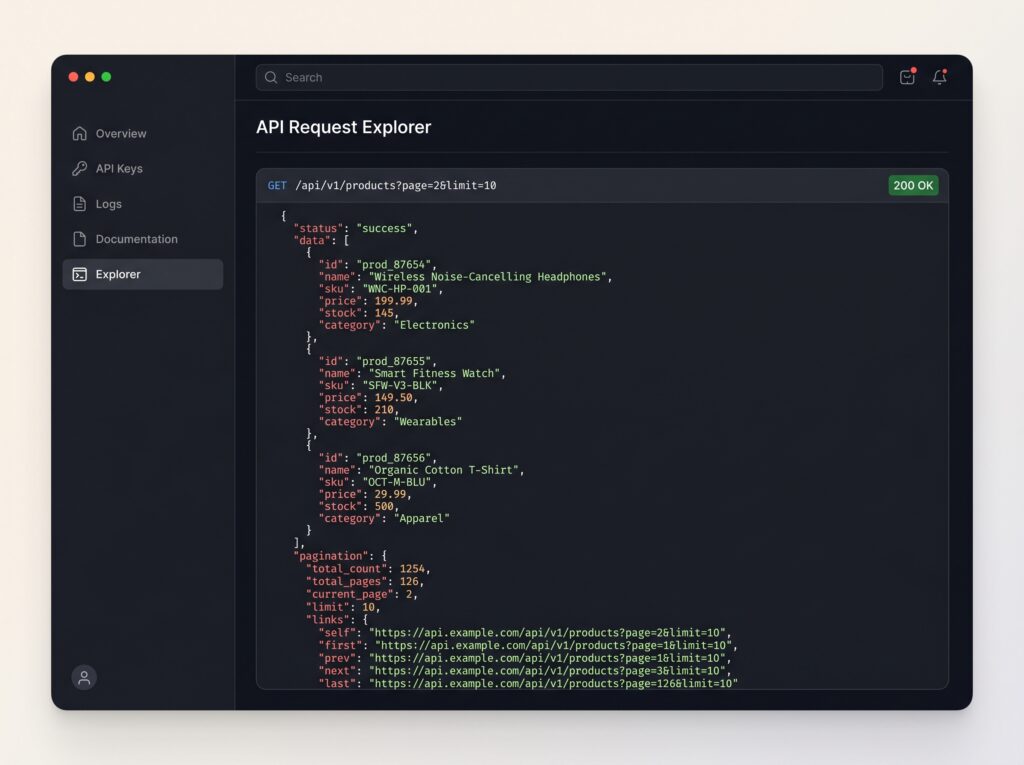
Every paginated response should return metadata alongside the data:
{
  "data": [
    { "id": 1, "name": "Wireless Headphones", "price": 79.99 },
    { "id": 2, "name": "Bluetooth Speaker", "price": 49.99 }
  ],
  "pagination": {
    "page": 2,
    "limit": 20,
    "total": 1000,
    "total_pages": 50,
    "next_page": 3,
    "prev_page": 1,
    "next_cursor": "eyJpZCI6NDB9"
  }
}
| Field | Purpose |
|---|---|
data |
The actual records |
page |
Current page number (offset-based) |
limit |
Records per page |
total |
Total number of records |
total_pages |
Helps UI render page controls |
next_page |
Convenience field for sequential navigation |
next_cursor |
For cursor-based consumers |
Include only what your pagination model supports. Don’t include total in cursor-based pagination if counting is expensive — be honest about what you return.
Good vs Bad API Design — Example 3
| Bad Approach | Good Approach |
|---|---|
GET /products returns 50,000 records |
GET /products?page=1&limit=20 returns 20 |
| No metadata in response | Response includes total, next_page, limit |
| No pagination at all | Default limit enforced even without query params |
Allowing limit=999999 |
Server enforces a maximum (e.g., limit capped at 100) |
The database impact of unpaginated endpoints is severe. A single unthrottled request can lock tables, exhaust connection pools, and take down your service for all other consumers.
Section 5: Rate Limiting
Every public API needs rate limiting. Without it, a single misbehaving client can exhaust your infrastructure, degrade service for all other consumers, and in the worst case, bring your system down entirely.
Rate limiting serves multiple purposes:
- Abuse prevention: Blocks scrapers, brute-force attempts, and runaway automated clients.
- DDoS protection: Limits the blast radius of traffic floods.
- Cost control: Prevents individual users from consuming disproportionate compute resources.
- Fair resource allocation: Ensures all consumers get a reasonable share.
Popular Rate Limiting Algorithms
Fixed Window
Counts requests in fixed time buckets (e.g., per minute). After 100 requests in the current minute, the client is blocked until the next minute starts.
Simple to implement, but has an edge case: A client can make 100 requests at 11:59 and another 100 at 12:00, effectively making 200 requests in two seconds.
Sliding Window
Maintains a rolling time window. The limit applies to any 60-second window ending at the current moment, not just the current clock-minute.
More accurate than fixed window. Eliminates the boundary burst problem. Requires more memory (typically a sorted set per client in Redis).
Token Bucket
Each client has a “bucket” with a maximum capacity of tokens. Tokens refill at a fixed rate. Each request consumes one token. If the bucket is empty, the request is rejected.
This allows controlled bursting — a client that hasn’t made requests in a while accumulates tokens and can briefly exceed the steady-state rate. This is how most real-world rate limiters (including Stripe’s) work.
Bucket capacity: 100 tokens
Refill rate: 10 tokens/second
Current tokens: 15

Request comes in → 15 > 0 → Allow → 14 tokens remaining
Leaky Bucket
Requests enter a queue (the “bucket”) and are processed at a fixed rate. If the queue is full, new requests are dropped.
Unlike token bucket, leaky bucket enforces a strict output rate — no bursting is allowed. Good for smoothing traffic but can introduce latency as requests wait in the queue.
Rate Limit Headers
Every response — not just rejected ones — should include rate limit information:
X-RateLimit-Limit: 100
X-RateLimit-Remaining: 73
X-RateLimit-Reset: 1718400000
| Header | Meaning |
|---|---|
X-RateLimit-Limit |
Total requests allowed in the window |
X-RateLimit-Remaining |
Requests remaining in the current window |
X-RateLimit-Reset |
Unix timestamp when the window resets |
Clients that read these headers can implement backoff logic proactively, before hitting the limit.
HTTP 429 Response
When a client exceeds the limit, respond with 429 Too Many Requests:
HTTP/1.1 429 Too Many Requests
Retry-After: 30
X-RateLimit-Limit: 100
X-RateLimit-Remaining: 0
X-RateLimit-Reset: 1718400030

{
  "error": {
    "code": "RATE_LIMIT_EXCEEDED",
    "message": "You have exceeded the rate limit. Please retry after 30 seconds.",
    "retry_after": 30
  }
}
Include a Retry-After header so well-behaved clients know exactly when to retry. Include the error in the body so badly-behaved clients at least get a human-readable explanation.
Good vs Bad API Design — Example 4
| Bad Approach | Good Approach |
|---|---|
| No rate limiting | Rate limits enforced per API key/IP |
| Rate limited but no headers | X-RateLimit-* headers on every response |
| Returns 500 when limit hit | Returns 429 with Retry-After |
| Same limits for all consumers | Tiered limits (free, paid, enterprise) |
In production, an API without rate limiting is an open invitation. A misconfigured client in a tight loop can make tens of thousands of requests per minute — and you won’t know until your database is on fire.
Image Prompt
Create a technical diagram illustrating API rate limiting using Token Bucket and Sliding Window algorithms. Include request flow, counters, tokens, and throttling visualization.
Section 6: Error Handling That Developers Love
Error handling is the part of API design that gets the least attention during development and causes the most pain during integration.
When a developer is integrating your API at 11pm trying to hit a launch deadline, your error messages are either their lifeline or their nightmare. Vague errors cost hours. Clear, structured errors cost minutes.
Good error handling reduces:
- Debugging time — developers know exactly what went wrong
- Support tickets — fewer “I’m getting a 500, what does it mean?” messages
- Integration friction — clear field-level errors make form validation trivial to implement
Standard HTTP Status Codes
Use HTTP status codes correctly. Don’t return 200 for everything and hide errors in the body — this is a common anti-pattern that breaks every HTTP-aware tool in the ecosystem.
| Code | When to Use |
|---|---|
200 OK |
Successful GET, PUT, PATCH |
201 Created |
Successful POST that created a resource |
204 No Content |
Successful DELETE or action with no response body |
400 Bad Request |
Malformed request syntax, invalid parameters |
401 Unauthorized |
Missing or invalid authentication credentials |
403 Forbidden |
Authenticated but not authorized for this resource |
404 Not Found |
Resource doesn’t exist |
409 Conflict |
Conflict with current state (e.g., duplicate email) |
422 Unprocessable Entity |
Validation errors on a well-formed request |
429 Too Many Requests |
Rate limit exceeded |
500 Internal Server Error |
Unexpected server-side failure |
The distinction between 401 and 403 trips up many developers. 401 means “I don’t know who you are — please authenticate.” 403 means “I know who you are, and you’re not allowed here.”
Consistent Error Response Structure
Every error response across your entire API should follow the same structure:
{
  "error": {
    "code": "INVALID_EMAIL",
    "message": "The email address provided is not in a valid format.",
    "field": "email",
    "doc_url": "https://docs.example.com/errors/INVALID_EMAIL"
  }
}
| Field | Purpose |
|---|---|
code |
Machine-readable identifier for programmatic handling |
message |
Human-readable explanation for developers |
field |
The specific field that caused the error (for validation) |
doc_url |
Link to documentation about this error |
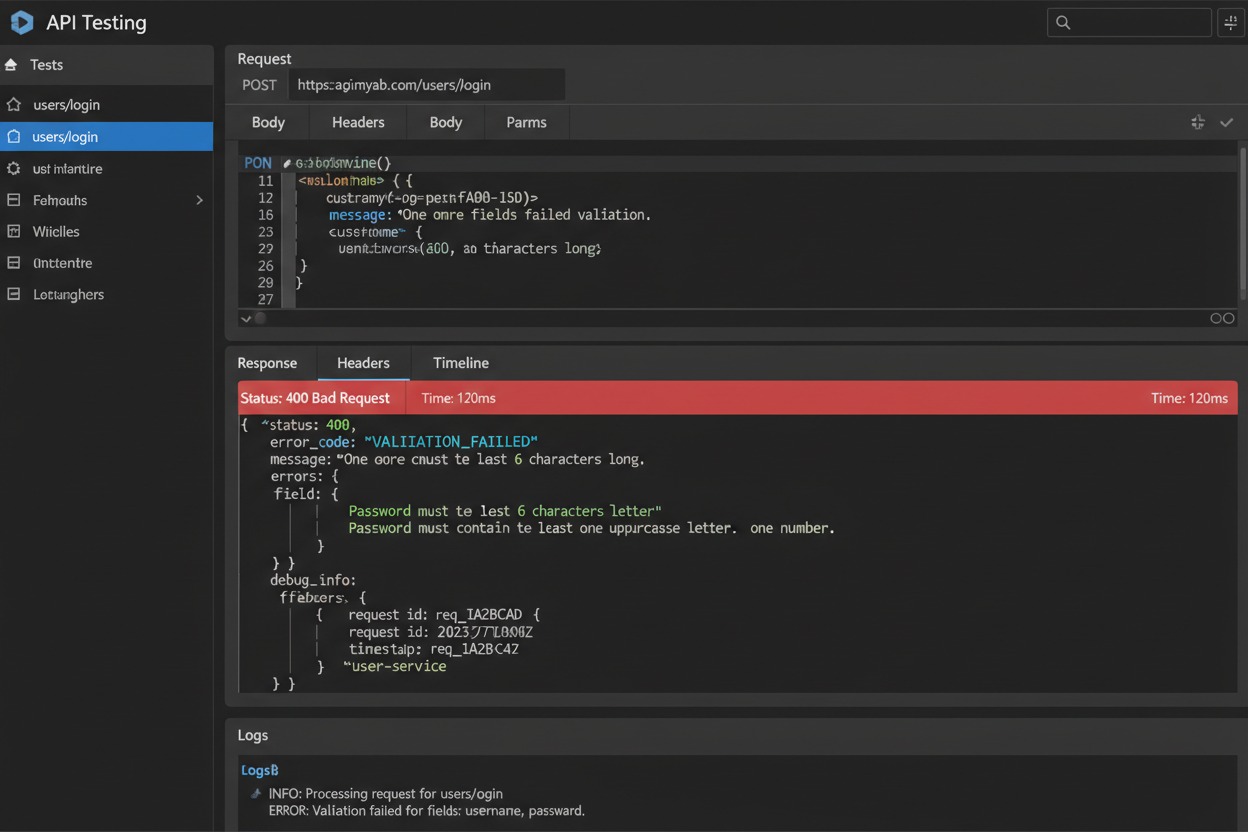
For validation errors with multiple issues, return all of them at once:
{
  "error": {
    "code": "VALIDATION_ERROR",
    "message": "The request contains validation errors.",
    "errors": [
      { "field": "email", "code": "INVALID_FORMAT", "message": "Email format is invalid." },
      { "field": "password", "code": "TOO_SHORT", "message": "Password must be at least 8 characters." }
    ]
  }
}
Never make developers fix one error at a time. Return all validation failures in a single response.
Error Messages Best Practices
# GOOD — Actionable, specific
"Password must contain at least 8 characters, including one uppercase letter and one number."

# BAD — Useless
"Validation failed."

# GOOD — Tells the developer exactly what went wrong
"The coupon code 'SAVE20' has expired. It was valid until 2024-12-31."

# BAD — Forces the developer to guess
"Invalid coupon."
The rule of thumb: if your error message could apply to five different situations, it’s too vague. Be specific enough that a developer can act on it immediately without reading source code.
Good vs Bad API Design — Example 5
| Poor Error Response | Developer-Friendly Response |
|---|---|
500 Internal Server Error with no body |
422 Unprocessable Entity with field-level validation details |
"Something went wrong" |
"The 'quantity' field must be a positive integer." |
No error code field |
Machine-readable QUANTITY_INVALID code |
| Same structure for all errors | Consistent schema with errors array for validation, single error for others |
Teams that invest in good error responses spend less time on integration support. It’s one of the highest-ROI improvements in API design.
Screenshot Prompt
Section 7: Additional REST API Best Practices
Beyond the core pillars, there are several additional design choices that significantly affect API quality.
Filtering
Use query parameters for filtering collections. Keep them intuitive:
GET /users?country=NG&status=active
GET /orders?created_after=2024-01-01&status=pending
GET /products?category=electronics&min_price=10000
Avoid opaque filtering syntax that requires special encoding. Simple key-value pairs are universally understood.
Sorting
Use a sort parameter with a sign convention for direction:
GET /users?sort=name          → A-Z by name
GET /users?sort=-created_at   → newest first (minus = descending)
GET /orders?sort=total,-created_at → by total ascending, then newest first
The minus-prefix convention is widely adopted and avoids the need for a separate direction parameter.
Searching
For full-text search across resources:
GET /products?search=wireless+headphones
GET /users?search=john
Don’t build custom search syntax into your primary resource endpoints. If search is complex, consider a dedicated /search endpoint that accepts a query body.
Field Selection (Sparse Fieldsets)
Allow clients to request only the fields they need:
GET /users?fields=id,name,email
This is a performance optimization for mobile clients where bandwidth matters. A user list response that normally carries 40 fields per record doesn’t need to send all 40 if the client only renders the name and avatar.
Idempotency
Idempotency means making the same request multiple times produces the same result as making it once.
- GET, PUT, DELETE are naturally idempotent. Calling
DELETE /orders/123twice produces the same result: the order is deleted. - PATCH should be idempotent in practice (setting a field to a specific value is repeatable).
- POST is not inherently idempotent. Creating the same order twice creates two orders.
For non-idempotent POST operations — especially payment-related ones — support idempotency keys:
POST /payments
Idempotency-Key: 7f4a2b9d-1c3e-4f6a-8b0d-2e5a7c9f1b3d

{
  "amount": 5000,
  "currency": "NGN",
  "source": "card_123"
}
The server stores the result against the key. If the same key is received again (e.g., due to a network retry), it returns the stored result instead of processing a new payment. This prevents double-charges during network failures — critical for any payment API.
Security Considerations
Security belongs in API design, not as an afterthought:
HTTPS everywhere. Never serve API traffic over HTTP, even in staging. Credentials and tokens transmitted over HTTP are trivially interceptable.
Authentication: Use JWT (JSON Web Tokens) for stateless authentication. Tokens should be short-lived (15–60 minutes) with refresh token rotation.
Authorization: Bearer eyJhbGciOiJIUzI1NiIsInR5cCI6IkpXVCJ9...
Authorization: Validate what the authenticated user is allowed to do, not just who they are. A user authenticated as user_123 should not be able to access /users/456/orders without explicit permission.
Input validation: Validate everything. Don’t trust client input for data types, string lengths, allowed values, or file types. Reject invalid input early with clear 400 or 422 responses.
API keys for service-to-service: Use scoped API keys with minimal necessary permissions. Rotate regularly. Revoke immediately on suspected compromise.
Rate limiting (see Section 5) is a security control, not just a business policy. Enforce it.
Logging and monitoring: Log all requests with client identity, endpoint, response code, and latency. Alert on spikes in 4xx and 5xx rates. Unauthorized access attempts should be visible and alertable.
Section 8: Real-World Case Study — TaskFlow SaaS Platform
Let’s walk through a realistic before-and-after for a fictional project management SaaS called TaskFlow.
The Initial API (Version 0 — The Nightmare)
TaskFlow launched fast. The API was built endpoint-by-endpoint as features were added:
GET  /getAllTasks
GET  /getTasksByUser?userId=5
POST /createTask
POST /updateTask
GET  /deleteTask?id=12
GET  /getComments?task=12
POST /addComment
GET  /fetchUserDetails?id=5
Problems that emerged:
GET /deleteTask— a GET request that deletes data. Catastrophic. Browsers and caches may call GET endpoints speculatively.- Inconsistent naming:
userId,task,idare all used for the same concept (identifier). - No versioning. When the team renamed
assignedTotoassigned_user_id, 3 integrations broke silently. - No pagination.
GET /getAllTasksreturned every task in the system — up to 80,000 records for enterprise customers. Requests were timing out. - No rate limiting. A misconfigured integration hammered the API at 200 requests/second during testing, taking down the service.
- Error responses were inconsistent — some returned strings, some returned objects, some returned HTML error pages from the framework.
The Redesigned API (Version 2 — The Good Contract)
GET    /api/v2/tasks                    → paginated list
GET    /api/v2/tasks/{id}               → single task
POST   /api/v2/tasks                    → create task
PATCH  /api/v2/tasks/{id}               → partial update
DELETE /api/v2/tasks/{id}               → delete task

GET    /api/v2/tasks/{id}/comments      → comments on a task
POST   /api/v2/tasks/{id}/comments      → add a comment

GET    /api/v2/users/{id}               → user details
GET    /api/v2/users/{id}/tasks         → tasks assigned to a user
What changed and why:
// OLD error response
"Error: task not found"

// NEW error response
HTTP 404
{
  "error": {
    "code": "TASK_NOT_FOUND",
    "message": "No task exists with ID 12. It may have been deleted.",
    "doc_url": "https://docs.taskflow.io/errors/TASK_NOT_FOUND"
  }
}
// OLD: GET /getAllTasks → returns 80,000 records, times out

// NEW: GET /api/v2/tasks?page=1&limit=50
{
  "data": [/* 50 tasks */],
  "pagination": {
    "page": 1,
    "limit": 50,
    "total": 80000,
    "next_page": 2
  }
}
Rate limiting added:
X-RateLimit-Limit: 500
X-RateLimit-Remaining: 487
X-RateLimit-Reset: 1718401200
Versioning and deprecation policy published:
Deprecation: true
Sunset: Tue, 01 Jul 2025 00:00:00 GMT
Link: <https://docs.taskflow.io/migration/v2>; rel="deprecation"
The v1 API remained functional for 9 months. Every response included the deprecation header. A migration guide was published. By the sunset date, 94% of consumers had migrated voluntarily — with zero emergency incidents.
The redesign didn’t require rewriting the business logic. It required discipline in naming, structure, and consistency — which is the real work of API design.
Conclusion
API design is not a one-time decision. It is an ongoing commitment to the developers, systems, and teams that depend on what you build. The choices you make on day one — how you name resources, whether you version your API, how you paginate and rate limit, what your error responses look like — will shape the experience of every consumer for years.
The principles in this guide are not theoretical. They are distilled from the patterns that make great APIs like Stripe, GitHub, and Twilio a joy to work with, and from the patterns that make poorly designed APIs a source of constant pain.
To summarize:
- Good resource naming makes your API predictable without documentation
- Thoughtful versioning lets you evolve without breaking consumers
- Effective pagination keeps your database, network, and clients healthy
- Sensible rate limiting protects your infrastructure and your consumers
- Consistent error handling reduces debugging time and support costs
- Idempotency and security aren’t optional — they belong in the design, not the backlog
As the saying goes: “The best API is one that future developers can understand without reading hundreds of pages of documentation.” Design for the developer who will consume your API at midnight under deadline pressure. Design for the mobile engineer whose app will be reviewed in an App Store six months from now. Design for yourself in 18 months when you’ve forgotten what this endpoint does.
Before you ship your next API endpoint, ask:
- Does this endpoint name tell a developer what it does without context?
- Can I add a new field to this response without breaking existing consumers?
- What happens when a client calls this endpoint 10,000 times by mistake?
- Does my error response tell a developer exactly what to fix?
If you can’t answer those questions confidently, you have design work to do — and it’s far cheaper to do it now than after your API is live and consumed by a hundred integrations.
Review your current API design. Apply these principles incrementally. And build the kind of API you wish you’d been given on your first day of integration work.